
Fanxis
Speech to text, face to face.
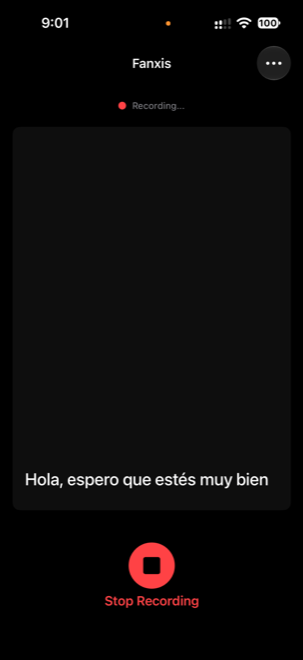
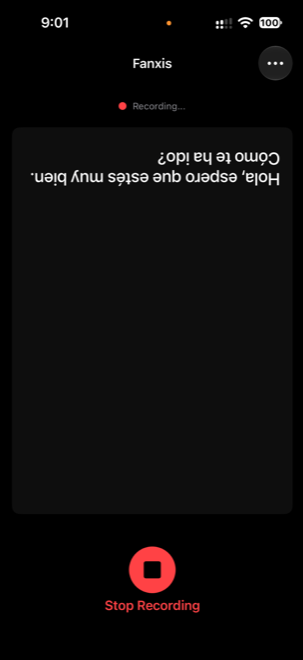
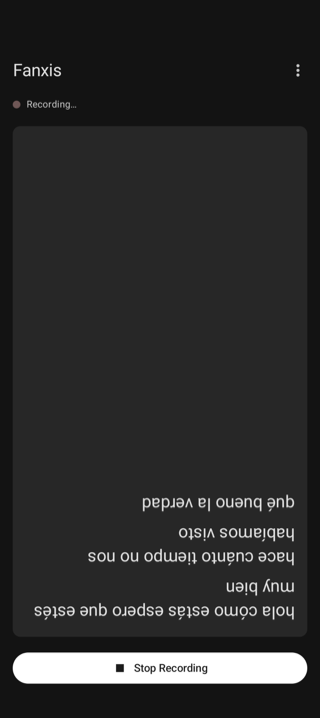
One person speaks toward the phone; the other reads from the opposite side of the table. Two fingers turn the text 180° so it reads the right way up for them, without passing the phone around.
How it works
A real conversation, written down as it happens.
On screen
On screen
What it does
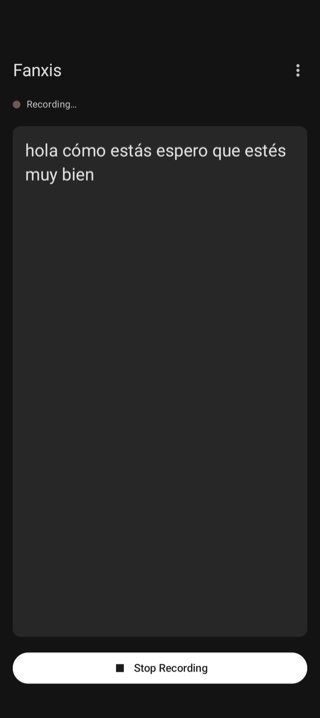
Live transcription
Words appear as you speak and the text follows along — unless you scroll up to re-read, and then it waits.
Flip the text
Swipe up with two fingers to turn it around, down to turn it back. One finger still scrolls as usual.
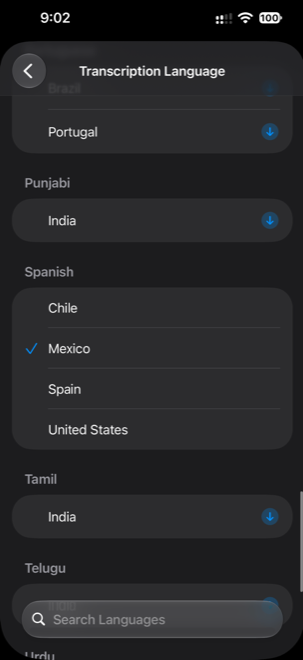
Your language
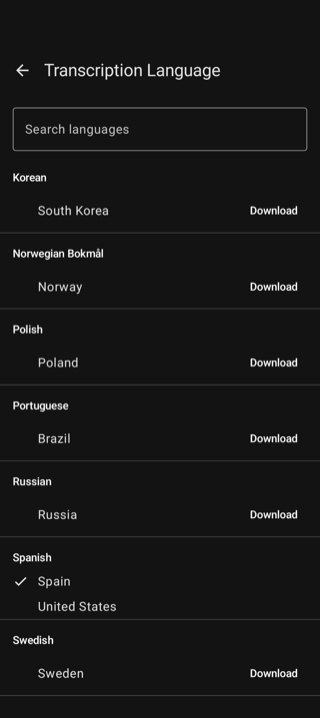
Choose from the languages the system offers, grouped and searchable. Each one downloads once.
Start in one tap
Open the app already recording — from Siri, Shortcuts or the Action button on iPhone; from the launcher shortcut or a Quick Settings tile on Android.
Readable across a table
Adjust the text size to read it from a distance. On a tablet the line length stays comfortable.
It stays with you
No accounts, no ads and no analytics. Transcripts are never saved.
For when listening is hard
In a loud café, at a counter, in a meeting, or when talking with someone who is deaf or hard of hearing. Put the phone on the table and talk.